

Understanding the importance of the correct charger
Why the Right Charger Matters for Your Razor E100S
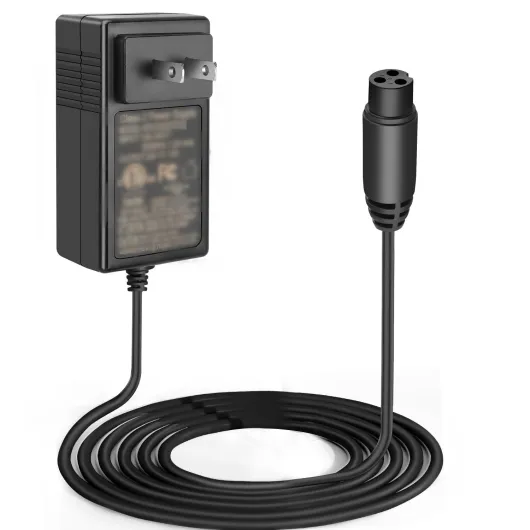
Choosing the correct charger for your Razor E100S scooter is more than just matching a plug to a port. The charger is a core part of your electric scooter’s performance and safety. Using the wrong charger can damage your scooter battery, reduce its lifespan, or even cause safety issues. Razor scooters, including the E100S, are designed to work with specific volt amp ratings and battery types, often lead acid. The right charger ensures your scooter’s power core and batteries are charged efficiently and safely, so you can enjoy smooth rides and reliable performance.
- Battery health: A charger designed for the Razor E100S helps maintain the battery’s health, preventing overcharging or undercharging. This is especially important for lead acid batteries, which are sensitive to improper charging.
- Safety warning: Using a non-compatible charger can lead to overheating, risk of fire, or permanent damage to the scooter parts. Always check the product specifications before buying a replacement or kit razor charger.
- Performance: The right charger keeps your scooter ready for sports, daily commutes, or fun rides. It also supports the power core electric system, ensuring the throttle and light functions work as intended.
It’s easy to overlook the charger when shopping for scooter parts or a battery charger, but it’s a crucial item for your Razor scooter’s longevity. If you’re interested in understanding how different chargers work for various electric scooter models, you can read this guide on Ninebot electric scooter chargers for more context on compatibility and safety.
In the next sections, we’ll look at what features to check when choosing a charger, how to spot genuine Razor products, and how to keep your charger and battery in top shape for longer rides and fewer replacement worries.

Key features to look for in a Razor E100S charger
Essential Specifications for Razor E100S Chargers
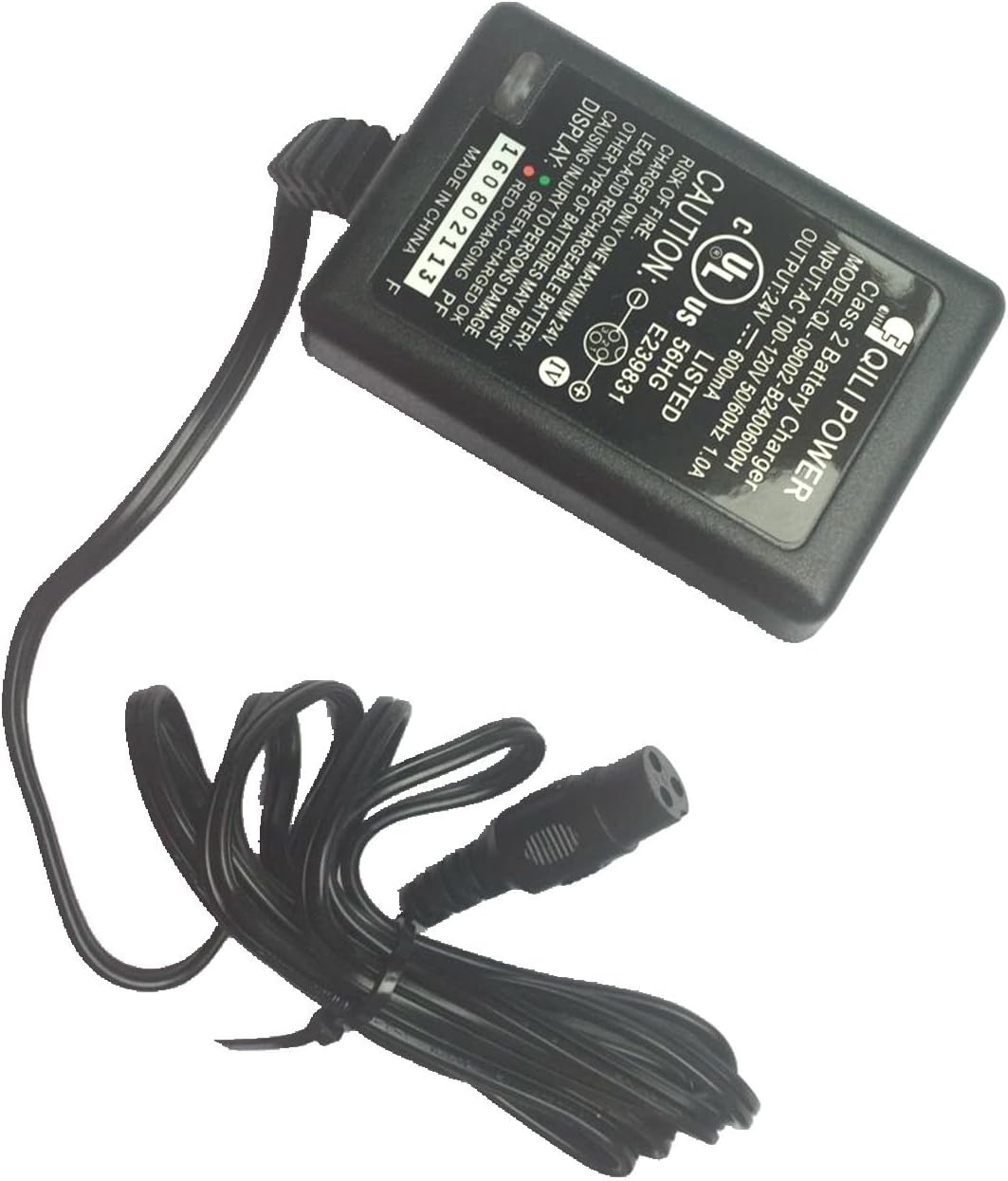
When searching for a charger for your Razor E100S electric scooter, it's important to focus on the technical details that match your scooter's requirements. The charger must be compatible with the scooter battery type, usually a 24V lead acid battery. Using the wrong charger can damage the battery, reduce its lifespan, or even pose safety risks. Always check the voltage and amp rating on your current charger or in your scooter manual before buying a replacement.
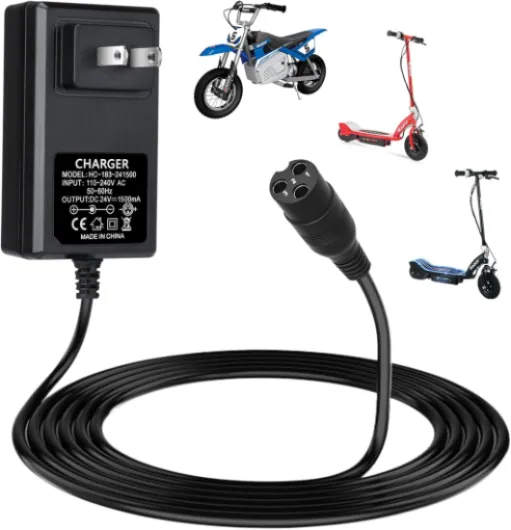
- Voltage and Amp Output: The Razor E100S typically uses a 24V battery charger with a 1.5A output. Double-check these numbers to ensure the charger matches your scooter's power core and battery needs.
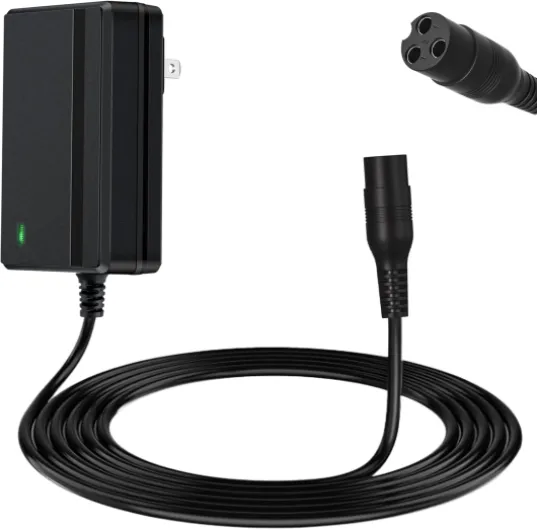
- Connector Type: The charger plug must fit securely into your scooter's charging port. Razor scooters often use a standard round connector, but always compare your old charger or consult the product listing.
- Safety Certifications: Look for chargers with UL or CE certifications. These indicate the product meets safety standards, reducing the risk of overheating or electrical faults.
- Indicator Lights: Many genuine Razor chargers include a light that shows charging status—red for charging, green for fully charged. This feature makes it easy to monitor the charging process and helps prevent overcharging.
- Build Quality: A well-manufactured charger feels sturdy and has a solid cable. Avoid flimsy or lightweight products, as these may not last long or could be unsafe.
For a deeper dive into what makes a quality battery charger and how to compare products, you can read this guide on mobility scooter battery chargers. It covers essential features, safety warnings, and tips for choosing the right item for your needs.
Additional Features Worth Considering
Some Razor E100S charger kits come with extra parts like grip tape, replacement batteries, or even a full kit razor package. While these can be convenient, always prioritize the core function and compatibility of the charger itself. Free shipping and fast delivery are nice bonuses, but never compromise on product quality or safety for convenience.
When adding a charger to your cart, review the product description for details about shipping, warranty, and return policy. This helps ensure you get a reliable charger replacement that will keep your electric scooter running smoothly for sports, commuting, or just having fun.
How to identify genuine versus generic chargers
Spotting Authentic Razor Chargers and Avoiding Counterfeits
When it comes to powering your Razor E100S scooter, using a genuine charger is crucial for both safety and performance. The market is full of generic chargers and replacement kits, but not all products meet the standards required for your scooter’s battery and core electric components. Here’s how you can tell if a charger is authentic or just a generic substitute.
- Check the packaging and labeling: Genuine Razor chargers usually come in branded packaging with clear product details, including the Razor logo, model number, and safety warnings. If the charger arrives in plain packaging or lacks essential information, it could be a generic item.
- Look for certification marks: Authentic chargers display safety certifications such as UL or CE marks. These indicate the product has been tested for electrical safety, which is especially important for lead acid batteries and power core systems.
- Compare specifications: The correct charger for the Razor E100S should match the scooter’s voltage and amp requirements. Double-check the volt amp rating on both the charger and your scooter battery. Mismatched specs can damage your battery or throttle, and may void your warranty.
- Buy from trusted sources: Purchase your charger from authorized Razor dealers or reputable online stores that offer free shipping and clear return policies. Avoid third-party sellers who can’t guarantee the charger was manufactured for Razor scooters.
- Inspect the build quality: Genuine chargers tend to have a solid build, proper grip tape on connectors, and indicator lights that show charging status. Cheap generic chargers may feel flimsy or have poorly fitted parts.
Using a non-genuine charger can lead to issues like overheating, reduced battery life, or even permanent damage to your scooter parts. If you’re unsure, compare your charger with images and specs on the official Razor website or consult your scooter’s manual. For more tips on choosing reliable scooter parts and ensuring your electric scooter’s longevity, you might find this guide on selecting the right scooter wheel helpful as well.
Remember, investing in an authentic charger is not just about keeping your scooter running—it’s about safety, performance, and protecting your investment in sports and recreation. Always read product descriptions carefully before adding to your cart, and prioritize quality over price when it comes to essential items like your battery charger or kit razor replacement.
Charging safety tips for electric scooters
Essential Charging Precautions for Your Razor E100S
Charging your Razor E100S scooter safely is crucial for both the battery’s lifespan and your own safety. Using the right charger and following some basic precautions can help you avoid common hazards and keep your electric scooter in top condition.- Always use the correct charger: Make sure the charger matches the voltage and amp requirements of your Razor E100S battery. Using a charger not designed for your scooter or a generic product can damage the battery or even cause overheating.
- Charge in a safe environment: Place your scooter on a flat, dry surface away from flammable materials. Avoid charging outdoors in wet or humid conditions, as moisture can affect the charger and battery.
- Monitor the charging process: Don’t leave your scooter charging overnight or unattended for long periods. Overcharging can reduce battery life and, in rare cases, lead to safety risks.
- Check for damage: Inspect the charger, cable, and scooter battery regularly for signs of wear, fraying, or exposed wires. If you notice any damage, stop using the item and look for a replacement charger or battery kit from a reputable source.
- Follow manufacturer’s safety warnings: Read the safety instructions that come with your Razor E100S charger and scooter. These guidelines are designed to prevent accidents and ensure the longevity of your scooter parts.
- Use only genuine parts: Stick to chargers manufactured specifically for Razor scooters. Generic or counterfeit chargers may not have the right power output or safety features, putting your battery and scooter at risk.
Troubleshooting common charging issues
Common Charging Problems and How to Solve Them
When your Razor E100S scooter refuses to charge or the battery doesn’t hold power, it can be frustrating. Here are some practical steps to help you troubleshoot the most frequent charging issues, using your charger, battery, and scooter parts effectively.- Scooter Not Charging: First, check if the charger indicator light turns on when plugged into both the wall and the scooter. If the light stays off, the charger or the power source could be faulty. Try another outlet or a different charger if available. Always use a charger manufactured for the Razor E100S to avoid compatibility issues.
- Battery Not Holding Charge: If your scooter battery drains quickly or doesn’t fully charge, it may be time for a replacement. Lead acid batteries, common in Razor scooters, have a limited lifespan. Inspect the battery for swelling or leaks. If you notice these signs, replace it with a genuine Razor battery or a compatible kit razor to ensure safety and performance.
- Charger Gets Hot: A charger that becomes excessively hot during use is a safety warning. Unplug it immediately and let it cool down. Overheating can indicate a faulty charger or issues with the scooter’s internal wiring. Consider a charger replacement if the problem persists.
- Loose Connections: Inspect the charger port, plug, and wires for any visible damage or looseness. A poor connection can prevent proper charging. Make sure the charger fits snugly into the scooter’s port and that the grip tape and surrounding parts are intact.
- Indicator Light Stays Green: If the charger’s light remains green even when the battery is low, the charger may not be delivering power. Test with another battery charger or consult the scooter’s manual for troubleshooting steps.
Extra Tips for Smooth Charging
- Always use the correct volt amp rating for your Razor E100S. Using the wrong charger can damage the battery and other electric scooter parts.
- Keep your charger and battery kit in a dry, cool place. Moisture and heat can reduce their lifespan.
- Check for free shipping offers when ordering a replacement charger or battery online to save on costs.
- Read product reviews before adding a new charger or battery to your cart to ensure you’re getting a reliable item.
Maintaining your charger and battery for longevity
Keeping Your Razor E100S Charger and Battery in Top Shape
Proper care of your charger and battery is essential for the long-term performance of your Razor E100S electric scooter. Many riders overlook these simple steps, but regular maintenance can save you money and prevent unexpected issues with your scooter parts or battery charger.- Store in a Cool, Dry Place: Both the charger and battery should be kept away from direct sunlight, moisture, and extreme temperatures. Heat and humidity can shorten the lifespan of lead acid batteries and charger components.
- Unplug When Not Charging: Once your scooter battery is fully charged, unplug the charger. Leaving it connected can overwork the charger and reduce battery health over time.
- Inspect for Damage: Regularly check the charger cable, plug, and connectors for signs of wear or damage. If you notice frayed wires or loose connections, replace the item immediately to avoid safety risks.
- Clean Carefully: Dust and debris can build up around the charging port or on the charger itself. Use a dry cloth to gently clean these areas. Avoid using water or harsh chemicals.
- Charge After Each Ride: For best results, recharge your Razor E100S after every ride, even if the battery is not completely empty. This helps maintain battery capacity and ensures your scooter is always ready for your next trip.
- Use Only Compatible Products: Stick to chargers and batteries recommended by Razor or those that match the correct volt amp rating. Using generic or incompatible parts can lead to performance issues or void your warranty.